Nissan Dashboard Symbols and Meanings: Complete Guide
Your Nissan is one of the most reliable vehicles on the road, but even the best cars need to communicate with their drivers. That communication happens through your dashboard. Those little lights and symbols are not random. Each one carries a specific message, and knowing what they mean can protect your engine, your safety, and your wallet.
This guide covers every major Nissan dashboard symbol, what it means, and exactly what you should do when it lights up.
What Are Nissan Dashboard Symbols and Meanings?
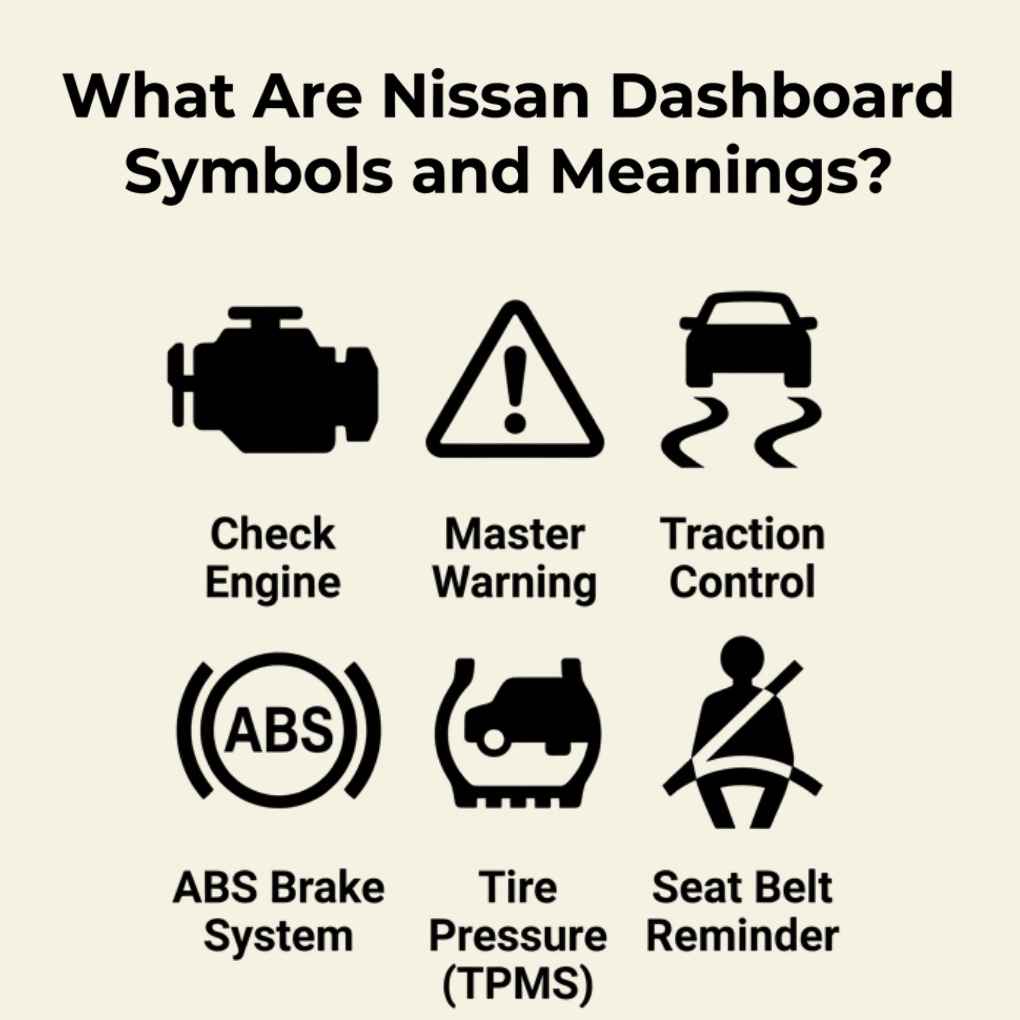
Nissan dashboard symbols are visual icons displayed on your instrument cluster that alert you to the current status of your vehicle’s systems. Some confirm that a feature is active, like cruise control or high beams. Others warn you about potential problems that need immediate or near-future attention.
There are three main categories of dashboard symbols in Nissan vehicles:
- Warning lights signal a mechanical or safety issue that needs action
- Status lights show what your vehicle is currently doing
- Indicator lights confirm that a driver-activated feature is on
Every Nissan model, from the Altima to the Pathfinder, uses a similar set of these symbols. Understanding them is essential for any Nissan owner.
Why Nissan Dashboard Warning Lights Matter
Ignoring a dashboard warning light is one of the most common and costly mistakes drivers make. A small light that seems minor could be pointing to a problem that gets worse the longer you wait.
For example, a low oil pressure warning ignored for even a few extra miles can cause serious engine damage. A tire pressure warning dismissed on a rainy day reduces your traction and braking ability. These lights exist to protect you, not stress you out.
Think of your dashboard like a direct line of communication from your car to you. When a light comes on, your Nissan is asking for attention.
Most Common Nissan Dashboard Symbols and Their Meanings
Check Engine Light
This is a yellow or amber engine-shaped icon. It can mean dozens of things, from a loose gas cap to a misfiring engine or failing oxygen sensor. It does not always mean something is catastrophically wrong, but you should never ignore it. Get the vehicle scanned with an OBD2 tool or visit a service center to pull the specific trouble code.
Tire Pressure Warning Light
This symbol looks like a flat tire cross-section with an exclamation point inside. It lights up when one or more tires drop below the recommended pressure level. Check all four tires and inflate them to the PSI listed on your driver-side door sticker. If the light stays on after inflating, one tire may have a leak.
Battery Warning Light
A red battery icon means your charging system is not working properly. This could point to a failing alternator, a weak battery, a loose cable, or a worn drive belt. If this light appears while driving, reduce your electrical load and get to a service shop quickly. Your car may stall if the issue is not addressed.
Oil Pressure Warning Light
This red oil can icon is one of the most urgent lights on your dashboard. It means your engine is not receiving enough oil pressure. Pull over safely and turn off the engine immediately. Driving even a short distance with low oil pressure can cause permanent engine damage.
Brake System Warning Light
This red light often shows an exclamation mark inside a circle, sometimes labeled “BRAKE.” It may mean your parking brake is still engaged, your brake fluid is low, or there is a deeper issue within the brake system. Release the parking brake first. If the light remains on, stop driving and have the brakes inspected right away.
ABS Warning Light
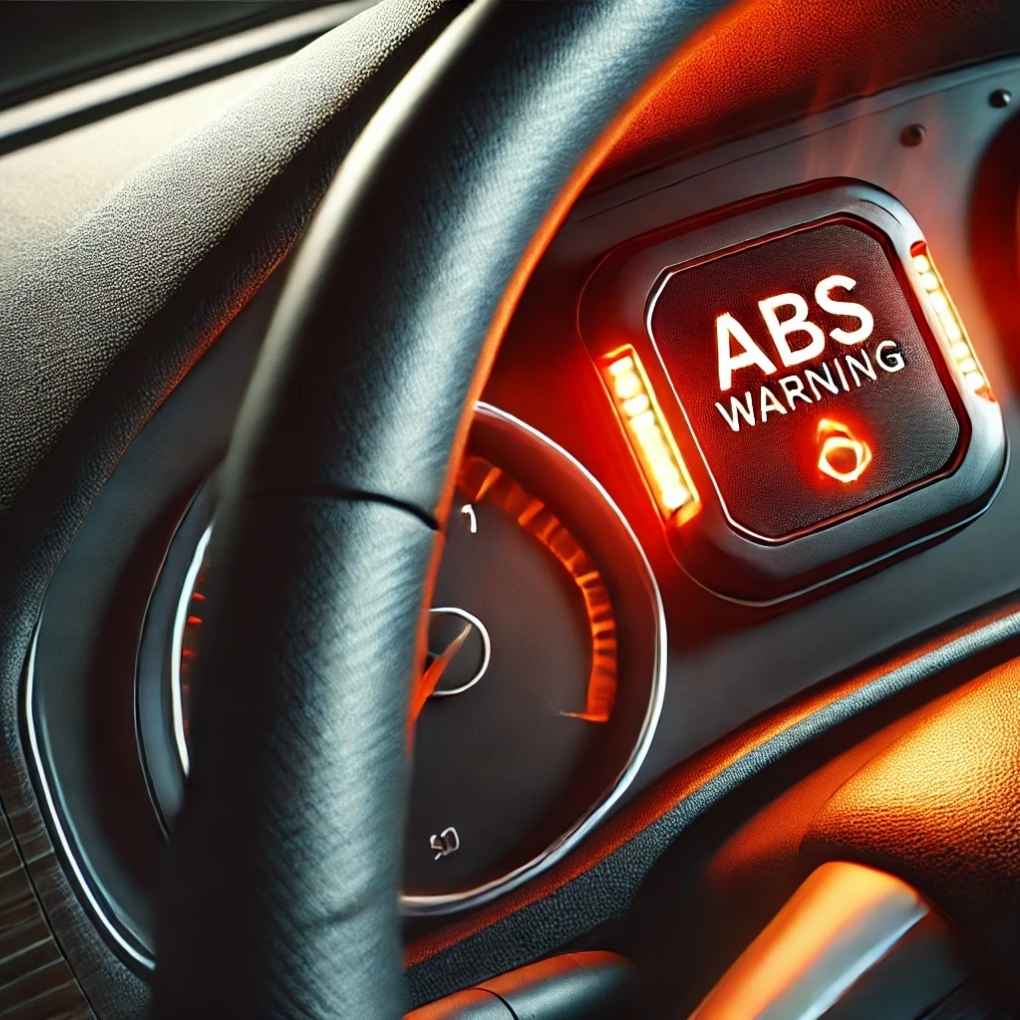
ABS stands for Anti-lock Braking System. When this yellow light turns on, your ABS may not function correctly in emergency stops. Your regular brakes still work, but the system that prevents wheel lock-up during hard braking may be compromised. Schedule a service visit soon.
Airbag Warning Light
A red icon showing a person with an inflated airbag. If this light stays on while driving, your airbag system may not deploy properly in a collision. This is a safety-critical issue. Do not delay in getting it diagnosed.
Engine Temperature Warning Light
This symbol looks like a thermometer submerged in liquid. A red version means your engine is overheating. Pull over immediately, turn off the engine, and let it cool down. Never open the radiator cap when the engine is hot. Check coolant levels once the engine has cooled and look for leaks.
Traction Control Light
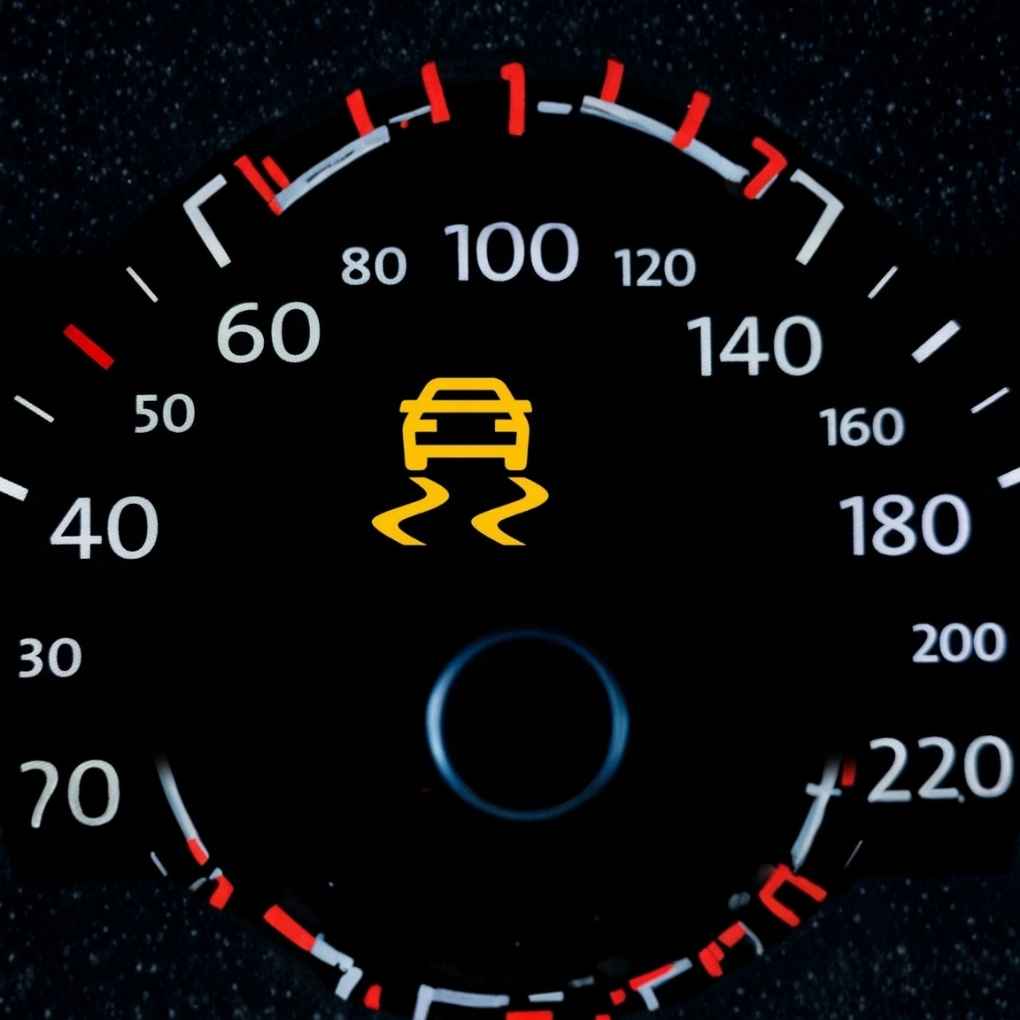
This icon shows a car with wavy lines underneath. It typically flashes during slippery road conditions, which is normal. If it stays on solid, the traction control system may have a fault. You can usually still drive, but your stability during slippery conditions may be reduced.
Power Steering Warning Light
On Nissan models with electric power steering, this yellow or red steering wheel icon warns that the power steering system has a fault. Steering will feel heavy or unresponsive. Reduce speed and get the vehicle inspected promptly.
You May Also Like: Jeep Dashboard Symbols and Meanings: The Ultimate Warning Light Guide Every Driver Must Know
Nissan Dashboard Indicator Lights Explained
Indicator lights are not emergencies. They simply tell you that a feature is active.
Cruise Control Indicator
A green speedometer-shaped icon confirms that cruise control is on and holding your set speed.
High Beam Indicator
A blue headlight symbol with horizontal lines means your high beams are activated. Remember to switch to low beams when oncoming traffic approaches.
Turn Signal Indicator
A green arrow flashing left or right confirms your turn signal is active. If it blinks faster than normal, one of your turn signal bulbs may be burned out.
Eco Mode Indicator
A green leaf or “ECO” text lights up when your vehicle enters fuel-saving mode. This helps you monitor and improve fuel efficiency during your drive.
Fog Light Indicator
A yellow or green lamp icon with angled lines means your front or rear fog lights are on. Turn them off when visibility improves to avoid blinding other drivers.
Nissan Dashboard Symbols by Color Meaning
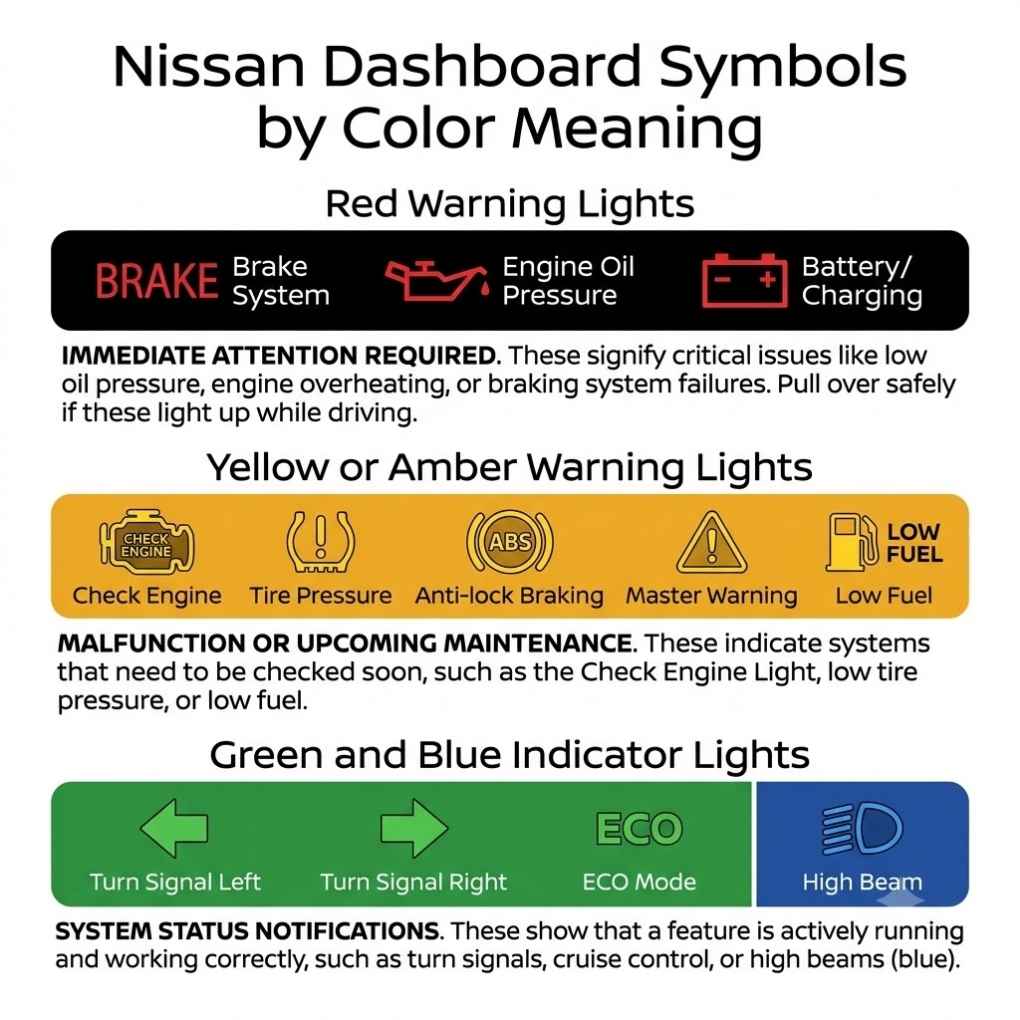
Color is your first and fastest way to judge how serious a dashboard light is.
Red Warning Lights
Red means stop. These lights indicate serious or safety-critical problems that need immediate attention. Examples include oil pressure loss, overheating, brake system failure, and battery issues. Pull over safely when a red light appears.
Yellow or Amber Warning Lights
Yellow means caution. You can continue driving, but you need to address the issue soon. Examples include the check engine light, low tire pressure, ABS warning, and traction control fault. Do not ignore these for more than a day or two.
Green and Blue Indicator Lights
Green and blue lights are informational. They confirm that a feature is working as expected. Green often indicates active systems like cruise control or eco mode. Blue is typically used for the high beam indicator.
| Color | Urgency Level | Action Required |
| Red | Immediate | Pull over and address now |
| Yellow/Amber | Soon | Schedule service within days |
| Green | Normal | No action needed |
| Blue | Normal | Informational only |
How to Reset Nissan Dashboard Warning Lights
Before resetting any warning light, identify and fix the underlying issue. Resetting a light without fixing the problem only masks the fault temporarily.
Here are the most common reset methods:
- Fix the issue first and many lights will turn off automatically after a few drive cycles
- Use an OBD2 scanner to read and clear fault codes from the ECU
- Disconnect the battery for 15 minutes to reset the system (note: this also resets radio presets and other settings)
- Visit a Nissan dealership or mechanic for a professional diagnostic reset
Some lights, like the tire pressure warning, can be reset manually through the vehicle’s settings menu after inflating all tires to the correct pressure.
Nissan Dashboard Symbols for Popular Models
Nissan Altima Dashboard Symbols
The Altima commonly displays brake warnings, ABS alerts, tire pressure notifications, check engine lights, airbag indicators, and master warning signals. If any of these appear alongside drivability issues like rough idling or hesitation, schedule service immediately.
Nissan Rogue Dashboard Symbols
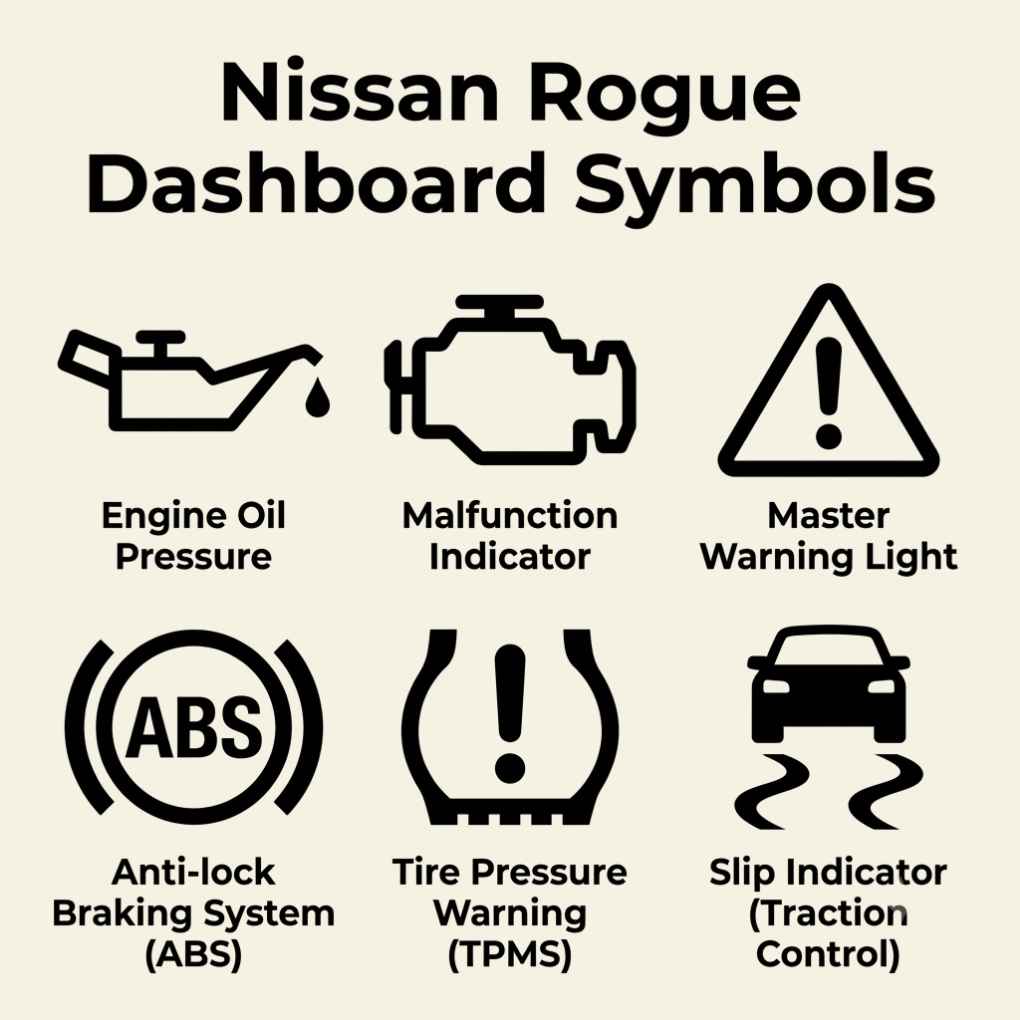
The Rogue is packed with advanced driver-assist technology. Along with standard warning lights, Rogue drivers may see indicators for Automatic Emergency Braking (AEB), Rear Automatic Braking (RAB), Traction Control, Brake Hold, and Lane Departure Warning systems.
Nissan Sentra Dashboard Symbols
The Sentra most commonly shows tire pressure, check engine, ABS, and brake warning lights. Newer Sentra models also display driver-assist system alerts depending on the trim level and installed features.
Nissan Pathfinder Dashboard Symbols
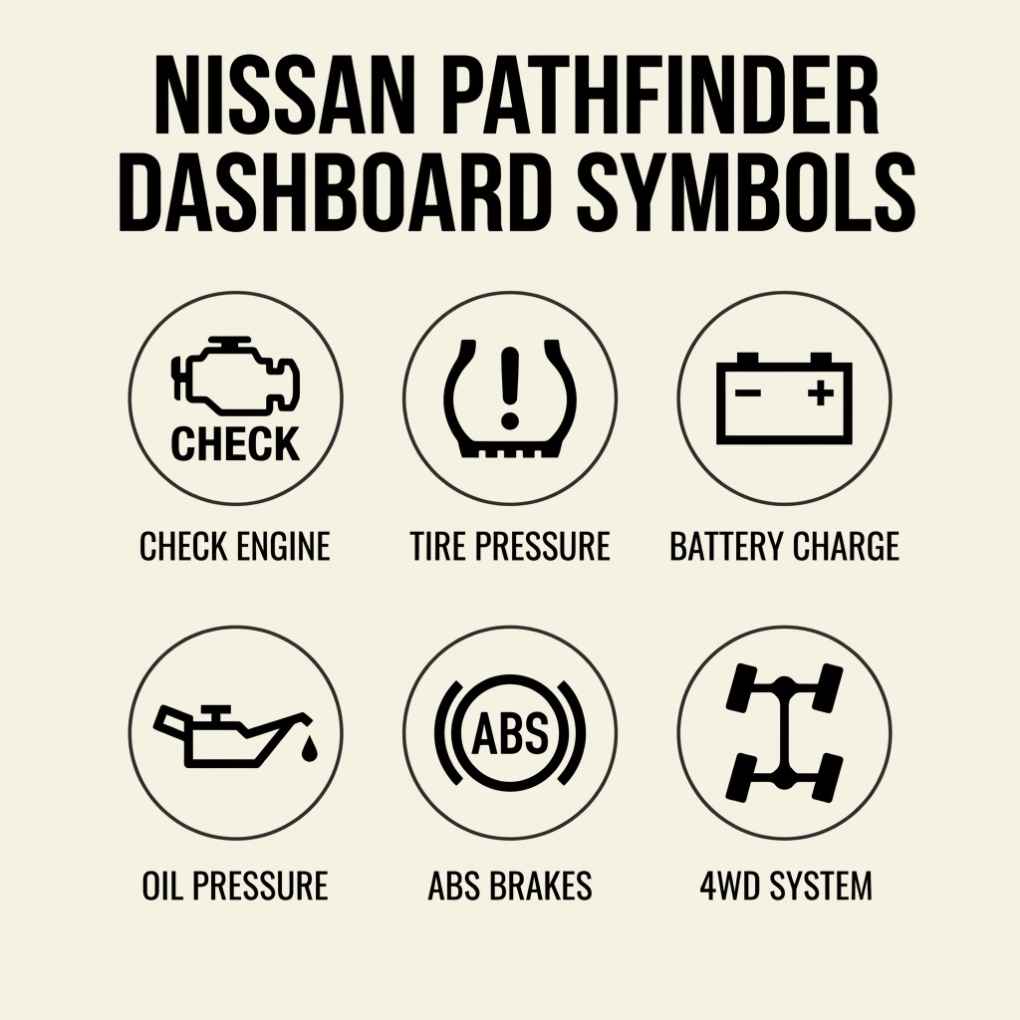
The Pathfinder shares most warning lights with other Nissan models, including check engine, tire pressure, battery, oil pressure, ABS, and airbag alerts. Given its SUV design and off-road use, pay extra attention to the 4WD system and traction control indicators.
What to Do When a Nissan Warning Light Appears
Follow these simple steps whenever a warning light shows up:
- Stay calm. Not every light means your car is about to break down.
- Identify the color. Red requires immediate action. Yellow can wait briefly but not long.
- Check your owner’s manual. It has a full list of symbols specific to your model and year.
- Pull over safely if the light is red or if you notice any change in how the car drives.
- Run a diagnostic scan using an OBD2 reader or at a service center to find the exact fault code.
- Do not reset the light without fixing the issue. The problem will return and may worsen.
- Visit a certified Nissan service center for any light you cannot confidently diagnose on your own.
Faqs About Nissan Dashboard Symbols
What does the exclamation mark mean on a Nissan dashboard?
It usually indicates low tire pressure or a brake system warning depending on the shape surrounding it.
Is it safe to drive with the check engine light on?
If the light is steady and the car drives normally, you can drive short distances but should get it scanned soon.
Why does my Nissan traction control light keep flashing?
Flashing during slippery conditions is normal. A solid light that stays on may indicate a system fault.
How do I turn off the tire pressure light on my Nissan?
Inflate all tires to the correct PSI and use the TPMS reset option in your vehicle settings menu.
What is the master warning light on a Nissan?
It is a yellow exclamation mark that signals multiple system alerts at once. Check your information display for specific details.
Conclusion
Nissan dashboard symbols are your vehicle’s built-in safety net. Every light that appears on your instrument cluster carries a purpose, and understanding what each one means puts you in control. Red lights demand immediate action. Yellow lights ask for your prompt attention. Green and blue lights simply confirm things are working as they should.
Whether you drive a Nissan Altima, Rogue, Sentra, or Pathfinder, this guide gives you the knowledge to respond confidently every time a light comes on. Stay familiar with your dashboard, keep your owner’s manual accessible, and never ignore a warning light for long.

Mubeen is a passionate writer at Auramegazine who explores symbolism, hidden meanings, and powerful signs behind everyday symbols. He enjoys creating simple, engaging content that helps readers understand deeper meanings and cultural connections.